


ToonMe photo cartoon maker
4.510.76K Reviews
App Specs
- Version
- 0.7.24
- Updated On
- License
- Free
- Downloads
- 100,000,000+
- Developer
- PHOTO LAB DMCC
- Categories
- Photography
- Platform
- Android, iOS
Screenshots
 Analysis by AppCompare
I’m usually more interested in photo apps that earn a regular place on my phone than in ones that deliver a single amusing result. ToonMe makes a strong first impression because turning a familiar selfie into an illustrated portrait is instantly entertaining. The more useful question, though, is whether I still want to open it once that first surprise has worn off.
The appeal is immediate, but the photo matters
The first session is easy to understand: choose a portrait, browse the available looks, and see how an illustrated version changes the mood of the same face. That quick feedback is the app’s best hook. I don’t need drawing experience or a complicated editing routine to get something I can show a friend, and comparing a few styles is more enjoyable than committing to the first result.
My practical tip is to start with a clear, well-lit photo where the face is easy to see. A dramatic angle, heavy shadow, or busy group shot gives the transformation less to work with, so the result may feel less like the person in the original picture. I’d keep a few different portraits ready rather than repeatedly trying to rescue one awkward selfie; changing the source image can make a bigger difference than endlessly switching styles.
For a realistic everyday use, imagine needing a playful image for a group chat before a friend’s birthday. I’d pick a recent head-and-shoulders photo, try a couple of treatments, and choose the version that still looks recognizably like me at the small size people will see on a phone. That is a better test than judging the result only when it fills the screen. A portrait that looks charming up close can lose its expression when cropped into a tiny profile picture.
Where it fits among photo apps
As a photography app from PHOTO LAB DMCC, ToonMe takes a focused route: its appeal is stylized portrait-making, not being an all-purpose photo editor. A standard filter app is usually the quicker choice when I only want to adjust color or brighten a picture while keeping it photographic. A drawing app makes more sense if I want to control every line myself. ToonMe sits between those options, offering a fast, automated transformation without asking me to create the artwork by hand.
That convenience comes with a trade-off. I’m choosing from the looks the app offers rather than directing every detail of the final illustration. If I need a consistent visual identity for a professional project, or a precise likeness that must match a specific brief, I’d use a more controllable editing or illustration workflow. For an informal avatar, a themed post, or a quick joke among friends, that loss of control is much easier to accept.
Keeping it useful after the first try
The strongest reason to return is having a specific occasion or image in mind: updating a casual profile picture, making a birthday greeting feel personal, or giving a set of portraits a playful shared look. I would treat it as an occasional creative tool rather than a daily camera companion. That expectation makes the experience feel more worthwhile, because the app does not need to become part of every photo I take to justify a spot on my phone.
Worth Reading Before You Choose

Flipboard Shows What News Apps Must Do Beyond the Feed

Switching to Android Auto Means Rethinking Your Driving Routine

Google Calendar Makes a Crowded Week Easier to Manage

Ludo King Makes the Most of the Minutes Between Plans

Baby Panda World Brings Quick Play to Modern Phones, but Its Game Library Feels Busy

ESPN’s Live Game View Makes Following Close Games Easier
For a small group collage, I’d choose images with similar framing and keep the number of styles restrained. Matching the crop and visual mood helps the people in the collage feel like part of one idea, while mixing too many unrelated treatments can make the result look busy. This is a simple workflow choice, but it makes the finished image easier to read when it is shared at a glance.
Another useful habit is to keep the original photo separate from the cartoon version. That gives me the freedom to compare results later, make a different choice for another occasion, or use the untouched portrait elsewhere. I’d also check the final crop before sharing; an expressive face can be partly lost if the image is framed too tightly. These small checks matter more than producing a large batch of versions that all serve the same purpose.
What can wear thin
The novelty is real, but it can fade if I keep asking the app to transform similar selfies without a reason to use the results. A long menu of styles is fun to browse at first; it is less compelling when I already have a favorite look and no new photo or occasion to work with. I’d rather make one image I genuinely want to share than spend time generating near-duplicates.
There is also a personal-likeness trade-off in any automated cartoon portrait. A stylized result may emphasize some features and soften others, so the most polished-looking option is not always the one that feels most like me. I’d compare both qualities before choosing: if the portrait is meant as a recognizable avatar, likeness matters; if it is just a silly greeting, a looser interpretation may be more fun.
Access and cost are worth considering before making it a regular tool. ToonMe is free to download, but it includes in-app purchases, with listed items ranging from under a dollar to just under a hundred dollars. I’d explore the free experience first and decide whether I actually need anything beyond it before spending. The app is rated for everyone, although a parent may still want to decide whether a child should share personal photos online.
Does it earn lasting space?
ToonMe is a free photography app with a 4.5 average from around 1.9 million ratings and more than 100 million installs. It was released on November 5, 2020, and its current version is 0.7.19; it runs on Android 6.0 or later. Those details make it an established option, but they don’t change my basic advice: choose it for playful portrait transformations, not as a replacement for a full photo editor.
I’d recommend it to anyone who enjoys making a distinctive avatar or sharing lighthearted images and is happy to let an automated style guide much of the result. I’d skip it if I rarely use cartoon portraits, need fine-grained illustration controls, or mainly want conventional corrections such as exposure and color tuning. In those cases, a regular photo editor or a hands-on drawing tool is a better match.
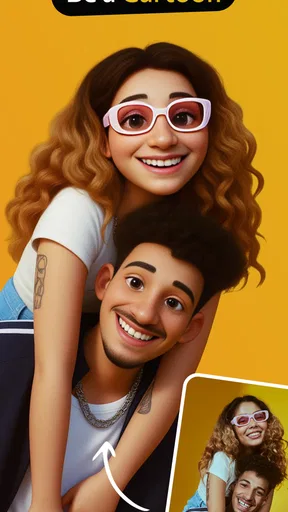
If you’ve ever wondered what you’d look like as a cartoon character, well, you’re not alone! That’s where ToonMe comes into play. I decided to take this app for a spin, and let me tell you, it’s a delightful way to transform your selfies into animated versions that could easily find a place in a comic strip or animated movie. Let's dive into what makes ToonMe tick.
Getting Started with ToonMe
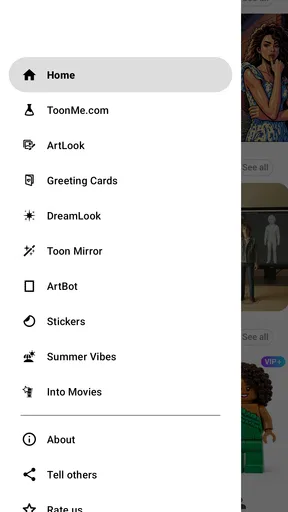
The first thing you’ll notice about ToonMe is how easy it is to get started. Downloading and installing the app is a breeze, whether you’re on Android or iOS. Once you’ve got it on your phone, the app greets you with a clean and intuitive interface. No confusing buttons, no overwhelming menus—just straightforward options to upload your photo and start the transformation.
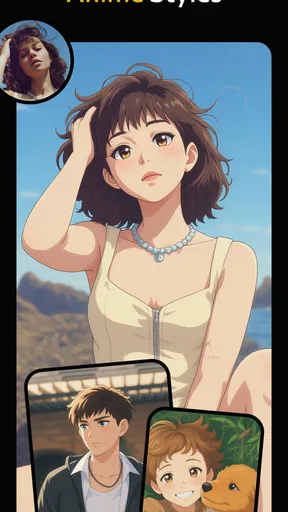
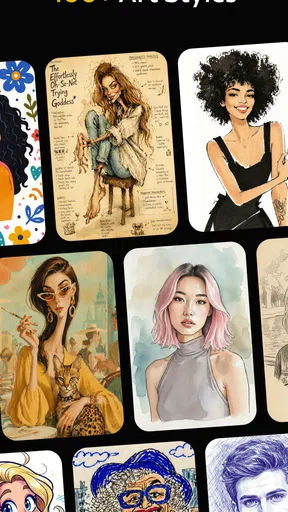
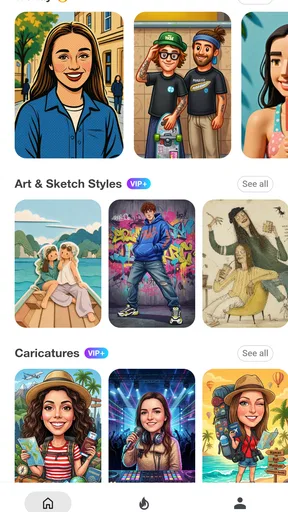
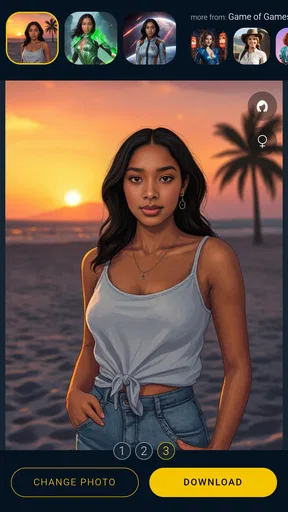
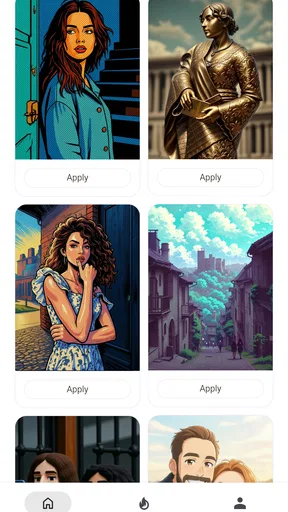
After selecting a photo, ToonMe offers a variety of styles to choose from. Whether you’re into a Disney-esque vibe or something more akin to a comic book, there’s a style for everyone. What I particularly enjoyed was how the app instantly previews these styles. You can swipe through different looks and see your photo morph in real-time. Pretty neat, right?
Features That Stand Out
One of the standout features of ToonMe is its AI-driven technology. The app uses artificial intelligence to ensure that your cartoon makeover looks as authentic as possible. It doesn’t just slap on a filter; it actually analyzes facial features to create a personalized cartoon version of you. This is where ToonMe really sets itself apart from the typical filter apps.
Then there’s the customization. Once you’ve chosen a style, you can tweak certain elements to better capture your personality. Want a little more blush? No problem. Prefer a different background? Easy peasy. These small adjustments ensure that your cartoon avatar isn’t just a generic version but a reflection of you.
Sharing Your New Look
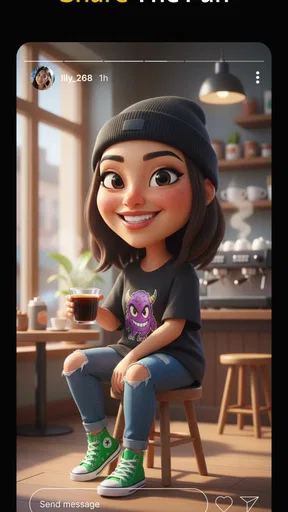
Once you’ve perfected your cartoon self, sharing is just a tap away. The app seamlessly integrates with social media platforms like Instagram, Facebook, and Twitter. Whether you’re looking to update your profile pic or just want to share something fun with your friends, ToonMe makes it simple. Just hit the share button, choose your platform, and voilà!
For those who enjoy a bit of creativity, ToonMe also allows you to stitch multiple cartoon images into a collage. This is perfect for creating a storytelling sequence or just showcasing different styles in one go. It’s a fun way to engage with your followers and get them talking.
Why ToonMe is Worth a Try
Now, you might be wondering, "Is it really worth using ToonMe?" In my opinion, absolutely! The app is not just about creating a cartoon; it’s about experiencing a moment of joy and creativity. Whether you’re an adult looking for a bit of fun or a teenager who wants to spice up their social media game, ToonMe is a fantastic way to express yourself.
Plus, the app is constantly updated with new styles and features, so there’s always something fresh to try. And the best part? It doesn’t require any artistic skills. Everything is done with a tap of your finger, making it accessible to everyone.
Final Thoughts
In a world obsessed with selfies and social media, ToonMe offers a refreshing twist. It’s simple, fun, and brings a touch of whimsy to your digital life. Whether you’re looking to impress your followers or just have a good laugh at your cartoon self, this app is definitely worth checking out.
So, if you’re ready to see yourself as a cartoon character and share that joy with the world, give ToonMe a try. It’s a small download with a big impact, and who knows? You might just discover a new side to your selfie game.
Pros
- Easy-to-use interface for quick edits.
- Wide variety of cartoon styles available.
- High-quality output without watermarks.
- Fast processing
- even for high-res photos.
- Regular updates with new features.
Cons
- Limited free features; many require purchase.
- Occasional ads can disrupt the workflow.
- Requires internet connection for full access.
- Some styles may not suit all photos.
- No advanced editing tools for pro users.
FAQs for ToonMe photo cartoon maker
What is ToonMe, and how does it work?
ToonMe is an app designed to transform your photos into cartoon-style images. It uses AI technology to apply various artistic effects, allowing users to see themselves in a fun, animated style. Simply upload a photo, choose your desired cartoon effect, and let ToonMe do the rest. The app offers a user-friendly interface and quick processing.
Is ToonMe free to use?
ToonMe offers both free and premium versions. The free version provides basic cartoon effects, while the premium subscription unlocks additional features and styles without ads. Users can choose to pay for a monthly or yearly subscription to access the full suite of artistic tools and effects.
What are the device requirements for ToonMe?
ToonMe is compatible with both Android and iOS devices. Android users need to have version 5.0 or higher, while iOS users require version 11.0 or later. The app is optimized for smartphones and tablets, ensuring smooth performance across different devices.
How secure is my data with ToonMe?
ToonMe is committed to user privacy and data security. Photos are processed through secure servers, and the app does not store any personal data beyond what is necessary for functionality. Users can review the app’s privacy policy for detailed information on data handling practices.
Can I share my ToonMe creations on social media?
Yes, ToonMe makes it easy to share your cartoon creations on social media platforms like Instagram, Facebook, and Twitter. After processing your photo, the app provides direct sharing options. You can also save the images to your device and upload them manually to any platform of your choice.


